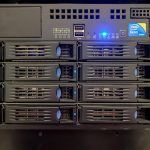

Priorities shift as the price band rises, and applying the $12-band checklist to a $2 plan produces bad decisions in both directions. At the bottom of the market you are buying a working network connection and a container that stays up; at the top of the budget band you are buying predictability, which is a different product. This is what to prioritise in each band, with the failure modes each one is actually exposed to.
Band boundaries move, so treat the numbers here as ranges rather than fixed tiers. The specification comparisons across current providers are kept on the comparison table.
$2 to $3 band: uptime reputation beats every spec
In this band the hardware is shared aggressively and the differentiators that matter are whether the provider oversells RAM, whether nodes reboot for maintenance without notice, and whether the network drops packets under load. A 1 GB container with a stable node outperforms a 2 GB container on a node that reboots twice a month, every time. What to check: node uptime history if published, whether the RAM is burstable or guaranteed, and whether the provider’s status page shows scheduled maintenance ahead of time rather than retroactive incident notes.
Acceptable workloads at this price: static sites behind a CDN, a small database for a personal project, a monitoring agent, a VPN endpoint. Not acceptable: anything transactional where a two-minute reboot loses money.
$3.50 to $5 band: disk type and guaranteed RAM
This is where NVMe storage and non-burstable RAM become available without a large premium, and where the largest real-world performance step occurs. Random read latency on NVMe against SATA SSD is the difference between a database query finishing in 0.4 ms and 4 ms, which compounds across hundreds of queries per page load. The specific numbers to confirm: is the disk NVMe or SATA, is the RAM guaranteed, and is the vCPU allocation shared or dedicated for at least a portion of the time.
Also check the CPU generation. A 2 vCPU allocation on current-generation silicon frequently outperforms 4 vCPU on eight-year-old hardware for single-threaded work, which covers most web serving. Core count is the least informative number in this band.
$6 to $10 band: buy predictability, not capacity
At this price the compute is rarely the constraint. What you are paying for is a provider that publishes its renewal rate, answers tickets within an hour, offers real snapshots, and does not silently throttle sustained CPU use. For a small business site, a ticketing response time of 20 minutes versus 6 hours is worth more than double the RAM, because the failure it protects against is the one that costs revenue.
Three questions to ask at this band: what is the published monthly ticket response target, what is the snapshot retention policy, and does sustained CPU above the fair-share threshold lead to throttling or suspension.
$12 and above: contract terms and exit cost
Once the plan costs more than a coffee a week, the terms of the agreement start to matter more than the specifications. Check whether resource limits are enforced by throttling or by account suspension, whether the provider holds a data export path that does not require a paid migration service, and what notice period applies to price changes. A provider that can raise the renewal rate by 40 percent with 14 days’ notice is more expensive than one charging $4 more with a 60-day notice clause.
How to tell which band you actually need
- Measure first. Run
vmstat 1andiostat -x 1for a week on the current box. Sustained steal time above 5 percent means the node is oversold and a band upgrade will help. - Check memory headroom. If available memory stays above 40 percent of total at peak, more RAM is not the upgrade you need.
- Watch disk queue depth. An average queue depth above 2 with high write latency points at SATA storage, which the $3.50 to $5 band fixes.
The renewal reckoning
Whichever band you choose, price it at renewal rather than at the introductory rate before deciding. A $5 plan renewing at $12 is a $12 plan, and comparing it against a $9 plan that renews at $10 reverses the ranking entirely. Build the three-year total, then choose.
For current plans and their published specifications in each band, start from the affordable VPS provider list and filter by storage type and RAM guarantee before looking at price.