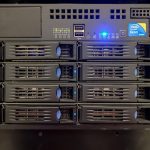
Adding a second VPS to a cheap hosting setup does not double the bill. It roughly triples it, because a second server does not arrive alone: it brings a second set of backups, a second monitoring target, a second bill to reconcile, and an operational dependency between the two boxes. For a small web app, the delta is usually $6–$12 a month in cash and 3–5 hours a year in labour.
That is not an argument against it. Splitting a database onto its own instance is one of the highest-leverage upgrades available at the budget tier. It is an argument for building the whole cost model before you do it, because the deciding question is rarely “can we afford a second $6 plan”.
The baseline: model the single server first
Start from what you run today. A typical small stack — nginx, PHP or Node, and MariaDB — fits on one 2 vCPU / 4 GB / 80 GB instance. That single-server cost is your reference point and every split has to justify itself against it.
| Cost line | Single server | Split: web + DB |
|---|---|---|
| Plan A (2 vCPU / 4 GB / 80 GB) | $14 | $14 |
| Plan B (1 vCPU / 2 GB / 40 GB) | — | $7 |
| Private network | — | $0 (usually included) |
| Backups (per server add-on) | $3 | $6 |
| Extra IPv4 (if needed) | — | $0–$3 |
| Monitoring | $0 | $0 |
| Monthly cash | $17 | $27–$30 |
The headline is not the plan price — it is the 76% increase in total hosting cost for a workload that was previously served by one box. Seen as a percentage rather than as “just $7 more”, the decision is easier to evaluate honestly.
The second server in practice
The realistic pattern at the budget tier is not a load-balanced cluster. It is:
- One box runs the application. No change to the app, no session strategy work.
- The second runs the database, bound to the private network address only. The public port stays closed.
- Backups move to their own destination. The database dump goes to object storage or off-site, not to the other VPS, so both boxes are not lost together.
That is a two-box topology, not high availability. If the database box dies, the site is down until it is rebuilt. The gain is resource isolation and the ability to size each role independently — the database gets RAM, the web tier gets CPU, and neither can starve the other.
Measure before splitting: two numbers
There is one condition that justifies a database split and one that argues against it.
The split helps when the two workloads want opposite things. A DB-bound box with steady random reads and a large buffer pool benefits from memory and fast disk; a web-box with spiky CPU from PHP workers benefits from cores. If vmstat shows heavy CPU during peak hours and PostgreSQL’s pg_stat_activity shows a cache hit ratio below 99%, the two are fighting for the same resources and separation will pay.
The split hurts when the app talks to the database constantly. Every query becomes a network hop. On a private network in the same datacentre that is 0.1–0.3 ms, which is nothing — but a chatty ORM issuing 200 simple queries per page load adds 40–60 ms of pure latency that did not exist before. Measure query count per request before you decide; if it is in the hundreds, either split after fixing the ORM or do not split.
The costs that do not appear on the invoice
The cash delta above is honest but incomplete. The additional labour lines are:
| New obligation | One-off setup | Recurring |
|---|---|---|
| Private network config + bind addresses | 30–60 min | None |
| DB access rules, users, TLS on the private link | 30 min | Review quarterly |
| Second set of OS patches and reboots | — | 20 min/month |
| Second backup job + restore test | 60 min | 2 h/year |
| Monitoring the new failure mode (“DB unreachable”) | 45 min | 30 min/month |
| Restore runbook for a two-box rebuild | 90 min | Once, then update on change |
Call it six hours of setup and roughly five hours a year to keep it healthy. At any reasonable labour valuation that dwarfs the $10/month cash increase — but the cost is paid once, in concentrated blocks, while the benefit is paid out continuously in stability. That trade is often good. It just has to be seen clearly.
Four alternatives to a second server
Before committing, check whether one of these cheaper moves solves the actual problem:
- Upgrade the existing plan. Moving from 4 GB to 8 GB costs 1.6–1.9× the lower plan and solves memory contention without any new topology. Details are in the vertical vs horizontal scaling guide.
- Tune the database.
shared_buffers,effective_cache_sizeand MariaDB’sinnodb_buffer_pool_sizeare often set to defaults that waste half the available RAM. This is a one-hour change that frequently removes the need for more capacity. - Add a cache layer on the same box. Redis at 256 MB with a page cache in front of the application can cut database queries by 70–90% and costs nothing.
- Move backups off the VPS first. If the pressure is disk space, an off-site backup target is cheaper than a second server and improves recovery at the same time.
None of these require a new machine, and any of them may defer the split by a year or more.
When the second server is clearly right
Three signals make the decision simple:
- You have already tiered up twice in a year and the same bottleneck returns each time.
- One component — the database, a queue worker, a media transcoder — is starving the rest for a resource you can give it alone.
- You need independent restarts. Being able to reboot the database without taking the web front end down (or vice versa) is worth real money in a production setup.
When one of those is true, the extra $10 is the cheapest capacity you will ever buy. When none of them is true, the second server is an operational project you have bought to solve a problem that tuning would have solved.
Run the numbers at both sizes before you decide — current plan pricing and included allowances are the only inputs you cannot estimate from your own monitoring.