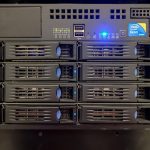
If you run a YouTube channel that teaches people to host things cheaply, the server you demo on is part of your cost of goods, and most creators treat it as an afterthought until a tutorial turns out to be wrong. A VPS used for screen recordings, test environments and thumbnail builds is not a production host, so the usual sizing rules do not apply. What does apply is a write-off calculation: the plan, the snapshots, the second node for “before and after” bench shots, and the hours you spend re-recording when a provider silently changes something.
This guide prices the whole kit for a channel publishing one or two technical tutorials a month, and shows where the money is actually lost. The short version: the monthly invoice is the smallest line. Re-recording and stale tutorials cost three to five times more than the server, and both are fixed by buying boring, reproducible plans rather than the cheapest advertised ones.
What a demo box actually has to do
A recording VPS has a different job from a production server. It has to be clean enough that commands work on the first take, small enough that “this runs on a $5 box” is a true statement, and reproducible enough that you can rebuild the exact state for a re-shoot three months later. It does not need uptime guarantees, DDoS protection, or a control panel licence. Those features add cost without adding anything to the video.
- Clean state on demand. Snapshot before each tutorial, roll back after. If rolling back takes longer than 90 seconds, you will start editing around it, and the edits show.
- Honest specs. If the video claims a workload runs on 1 GB and the demo box has 4 GB, the tutorial is wrong in a way viewers discover the hard way. Record on the tier you actually recommend.
- Predictable disk. Package installs and Docker pulls need write IOPS on camera. A plan that throttles to 300 IOPS after a minute makes a 40-second install into a six-minute cut.
- Fast rebuild. You will break things on purpose. Delete-and-reinstall has to be a one-minute operation, not a support ticket.
The kit and its monthly cost
Two nodes is enough for almost every budget-hosting channel: a primary demo box and a second instance used for “before and after” comparisons, migration shoots, and load-testing the first. Snapshots cover re-shoots. Everything else is optional and, in my experience, not worth the money at this scale.
| Line item | Typical monthly | Needed for a channel? | Annual |
|---|---|---|---|
| Primary demo VPS (2 vCPU / 2 GB) | $6.00 | Yes, the recording stage | $72.00 |
| Comparison VPS (1 vCPU / 1 GB) | $3.50 | Yes for benches and migrations | $42.00 |
| Snapshot storage, 30 GB | $1.50 | Yes, one per tutorial | $18.00 |
| Offsite backup target | $1.00 | Optional but cheap insurance | $12.00 |
| Domain for demo URLs | $0.85 | Yes, so URLs are stable across re-shoots | $10.20 |
| Screen recorder licence | $0 | OBS is free | $0 |
| Total | $12.85 | $154.20 |
Under $13 a month, or roughly $154 a year, before you count a single hour of your time. Compare that with the rest of a tutorial channel’s budget: a decent microphone costs more than two years of this kit, and a single re-recorded 20-minute video costs more than three. The server is not where you optimise.
Where the money actually leaks
Three failure modes account for most of the real cost, and none of them appear on the hosting invoice.
| Failure | What it costs | How it happens | Fix |
|---|---|---|---|
| Stale tutorial | 1–3 hours of scripting plus a re-shoot | Provider changes default OS image or pricing page | Pin the image version and state the date on screen |
| Silent throttling mid-shoot | 20–40 minutes of editing per video | Burst credits exhausted during a Docker build | Pre-pull images before recording, or use a plan with a disclosed floor |
| Demo box too small or too big | Credibility, then comments | Recording on 4 GB while recommending 1 GB | Record on the tier you recommend, note the exact plan name |
| Snapshot sprawl | $5–$15/month hidden | Never deleting old snapshots | One snapshot per published tutorial, delete on publish |
The stale-tutorial line is the one creators underestimate. A video that recommends a $3.50 plan which now renews at $9, or installs a package whose default configuration changed, generates comments and corrections for months and poisons the rest of the catalogue. Pinning the OS image in the description and stating the recording date at the top of the video costs nothing and prevents most of it. If you already have a catalogue of price-focused videos, the renewal hike planning guide is a reasonable script for an update video that also fixes the old one.
Choosing the demo provider: four criteria, no more
Channel hosts get evaluated on different criteria than production hosts, and applying the full production checklist to a recording box is overkill. Four things matter:
- API-driven rebuild. You want
create → wait → runin a script so every video starts from the same state. A control panel that requires six clicks is a 90-second tax per shoot. - Snapshot and destroy in under two minutes. Time it on a 30 GB disk. If a network-storage plan takes eight minutes to rebuild, your video pacing suffers on camera.
- Disclosed throttling. You are about to show people a benchmark. A plan that bursts for 30 seconds and hides the floor will make your numbers unrepeatable, and viewers who buy the plan will not reproduce them.
- Stable pricing for 12 months. Not the cheapest intro rate, the cheapest rate that is still there when you publish the follow-up. A price change forces a correction video, which is the most expensive kind of content to make.
Nothing on that list requires premium support, a dedicated IPv4, or a control panel. If a provider charges for those, the line item belongs in “not needed for a channel” rather than in the kit budget. The reserved versus shared resource breakdown is worth a viewing before you promise viewers a specific performance number, because shared vCPUs are where on-camera benchmarks most often fail to reproduce.
A reproducible shoot workflow
The whole point of a demo box is that the second take looks like the first. A scripted rebuild plus a pre-pull step gets you there, and it doubles as the description text you paste under the video.
# before recording: rebuild from the pinned image, then pre-pull
snapshot_id="demo-clean-2026-11"
curl -s -H "Authorization: Bearer $TOKEN" \
  "$API/snapshots/$snapshot_id/restore" >/dev/null

# warm the package cache so installs finish inside one take
apt-get update -qq
docker pull nginx:1.27-alpine
docker pull postgres:16-alpine

# capture the exact state for the description box
lsb_release -ds; uname -r; docker --version
Three habits make the biggest difference to edit time. First, pre-pull every image and package before the camera rolls, because a stalled download is dead air you have to cut. Second, put the plan name, the OS image and the recording date in a lower-third or the first description line. When the tutorial ages, that line is what lets a viewer decide whether it still applies, and it saves you from comment threads that assume every video is current. Third, keep one snapshot per published tutorial and delete the previous one once the new video is verified, because snapshot sprawl is the only line in this budget that grows silently.
Is it a business expense, and does that change the maths?
If the channel earns anything at all, the server is a deductible business cost in most jurisdictions, which means the effective cost is the pre-tax figure, not the invoice. At $154 a year and a typical small-business rate, the real cost after deduction is closer to $100–$120 depending on where you file. That does not change the plan choice, but it does mean there is no reason to hunt for a $2 plan to save $40 a year: the deduction on $40 is worth a few dollars, while one re-shoot costs more than the entire annual saving.
Keep the invoices in the same folder as your other channel expenses, and use a single account and payment method so the annual total is one line at tax time. Mixing personal and channel hosting across three providers is how people lose track of what they are paying for, and the monthly cost anomaly audit is a light way to catch a demo box that should have been destroyed months ago.
The write-off number to remember
For a channel publishing 12–24 tutorials a year, budget about $150 annually for the demo kit, treat one re-shoot per quarter as the expected cost of doing business, and choose providers on rebuild speed and disclosed throttling rather than price. If the channel is monetised, the deductibility means the difference between a $3.50 and a $6 demo box is a rounding error next to a single bad video.
Start from the provider comparison table, pick two plans that rebuild fast and publish their throttling policy, and record the plan names on screen. Your future self, making the update video, will thank you.
If the arithmetic says the write-off is worth it, the next step is picking a plan whose renewal terms will not undo the saving — the main site overview sets out what each price band includes beyond the sticker number.